

Overview
Tavily MCP Server is available on Databricks Marketplace, enabling one-click installation that creates a secure Unity Catalog connection for authenticated access. Once installed, Tavily MCP can be used programmatically in your agent code (LangGraph, OpenAI, etc.) through Databricks-managed proxy endpoints, grounding your AI agents with real-time web search, extraction, crawling, and mapping.Prerequisites
- Databricks workspace with the Managed MCP Servers preview enabled. See Manage Databricks previews.
CREATE CONNECTIONprivilege on the Unity Catalog metastore- Tavily API Key for authenticating the Tavily MCP connection (via bearer token)
Setup
Install from Databricks Marketplace
1
Navigate to Marketplace and find Tavily MCP Server
In your Databricks workspace, go to Marketplace and search for Tavily MCP Server.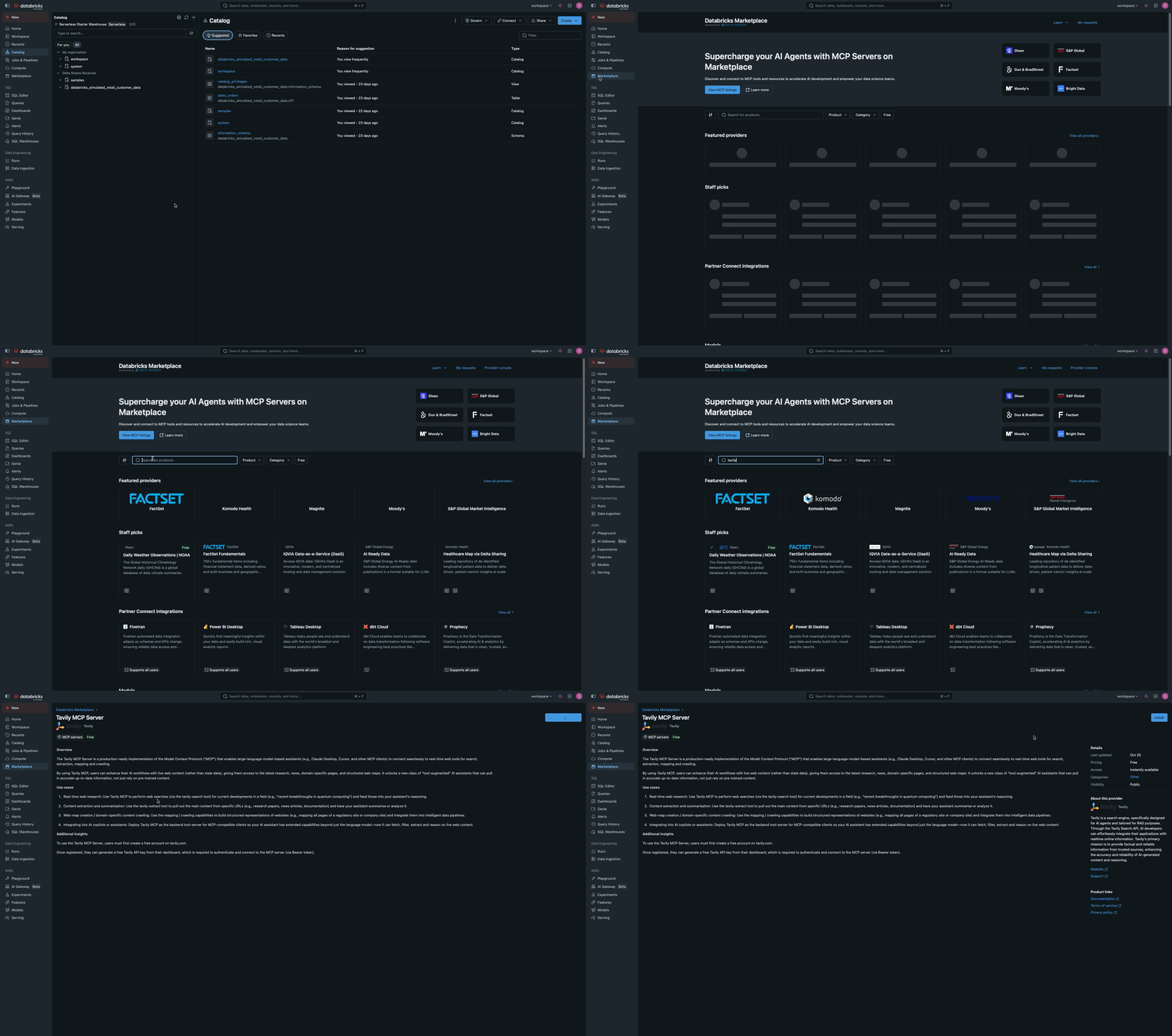
2
Install and configure the connection
Click Install to install the Tavily MCP Server. In the installation dialog, configure the connection settings: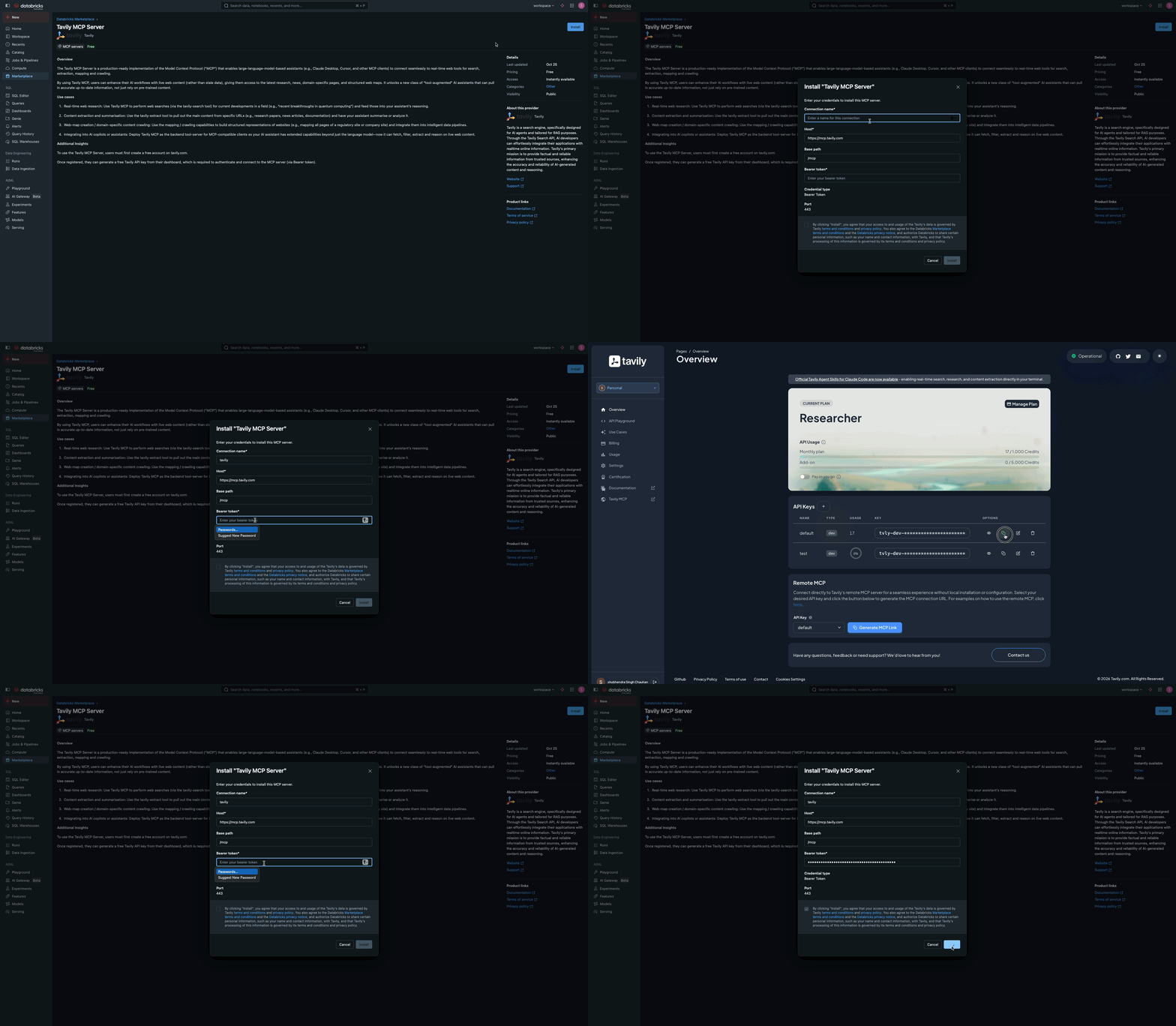
- Connection name: Enter a name for the Unity Catalog connection (for example,
tavily_mcp_connection). - Host: Pre-populated for Tavily.
- Base path: Pre-populated for Tavily.
- Bearer token: Enter your Tavily API Key as the bearer token.
3
Verify Unity Catalog Connection
Navigate to Unity Catalog > Connect > Connections and verify that the connection has been created successfully.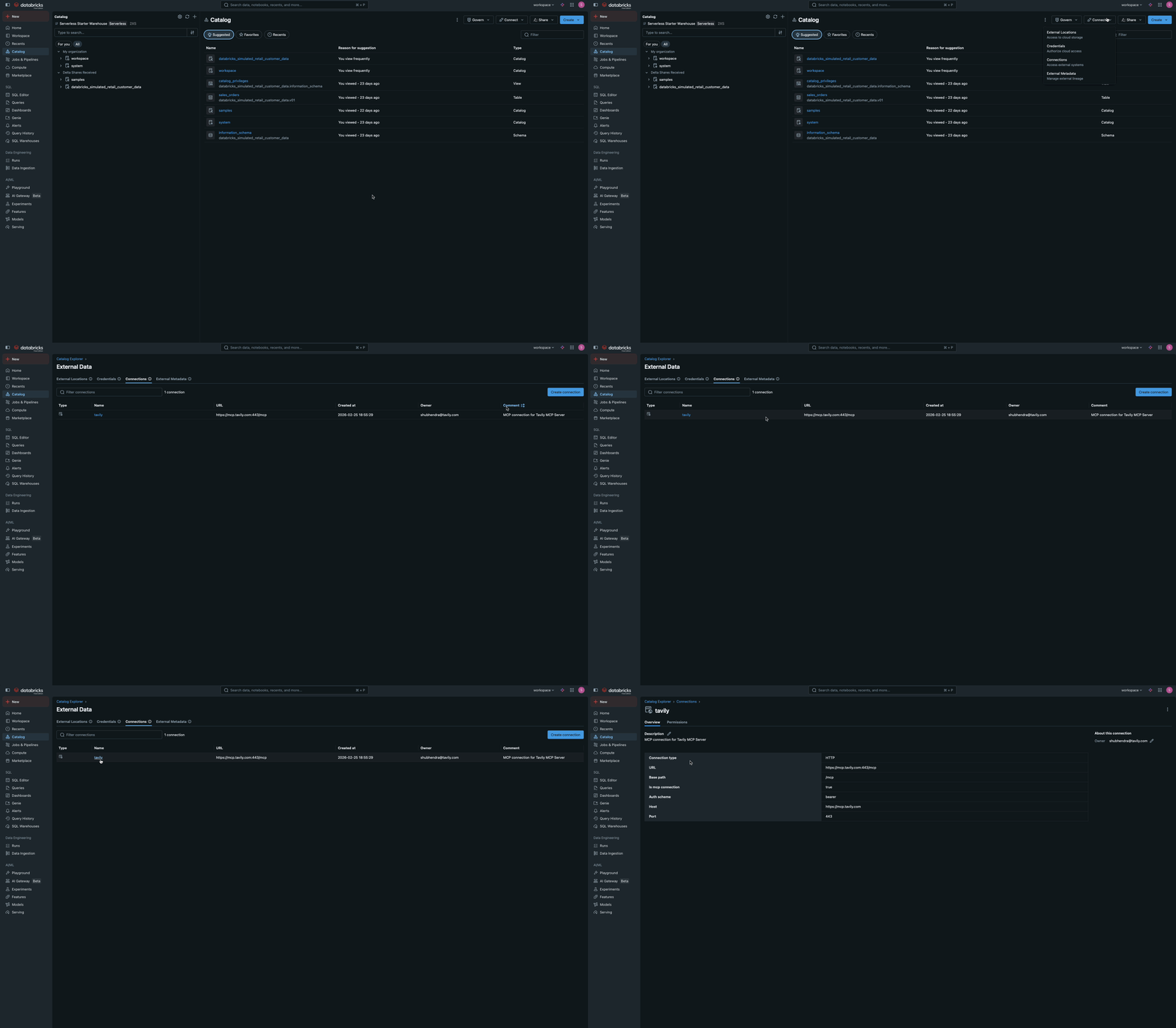
Share the MCP server connection
1
Open the Unity Catalog connection
Navigate to Unity Catalog > Connect > Connections and click on the connection you created earlier (for example, 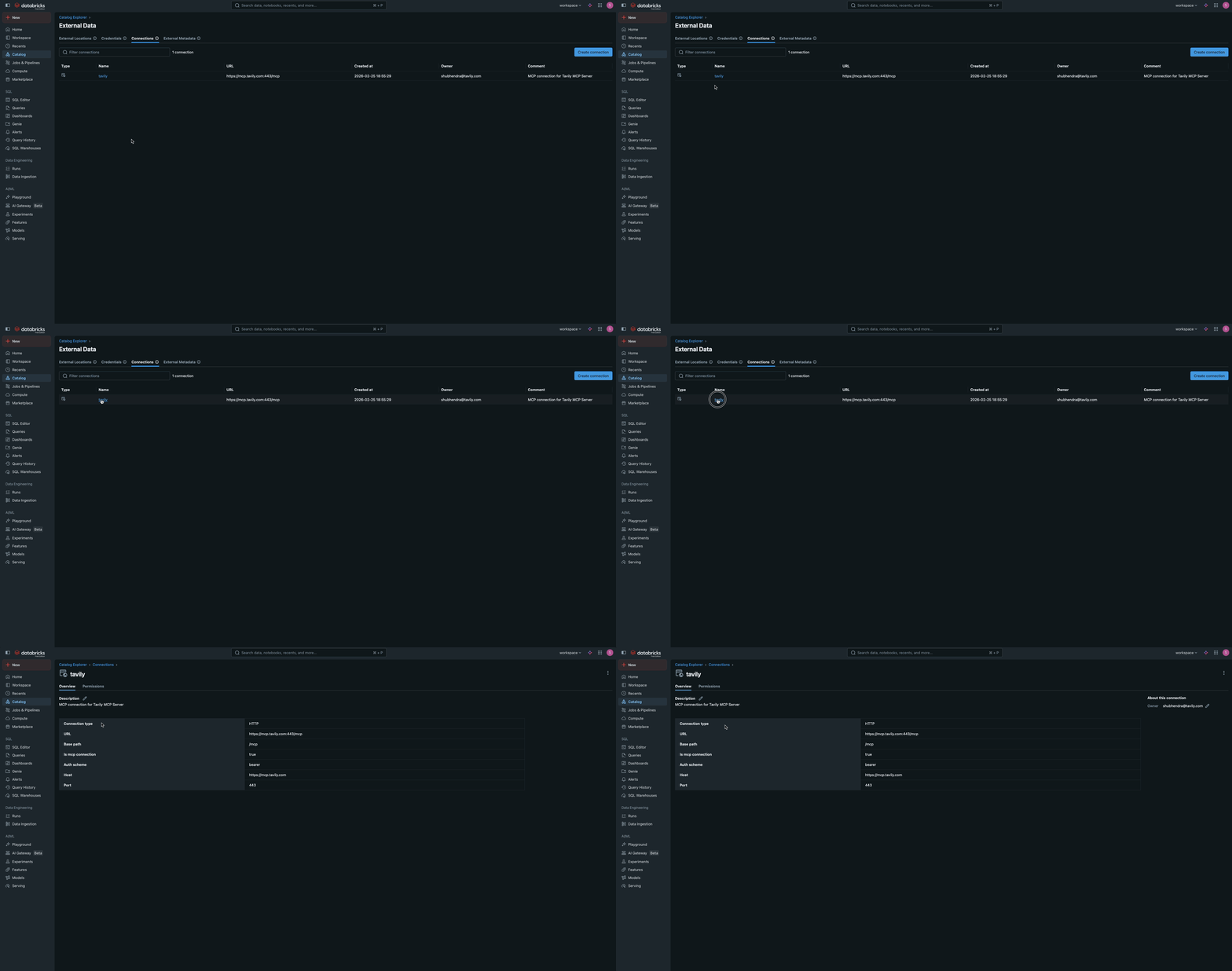
tavily_mcp_connection).2
Grant access to the connection
Grant 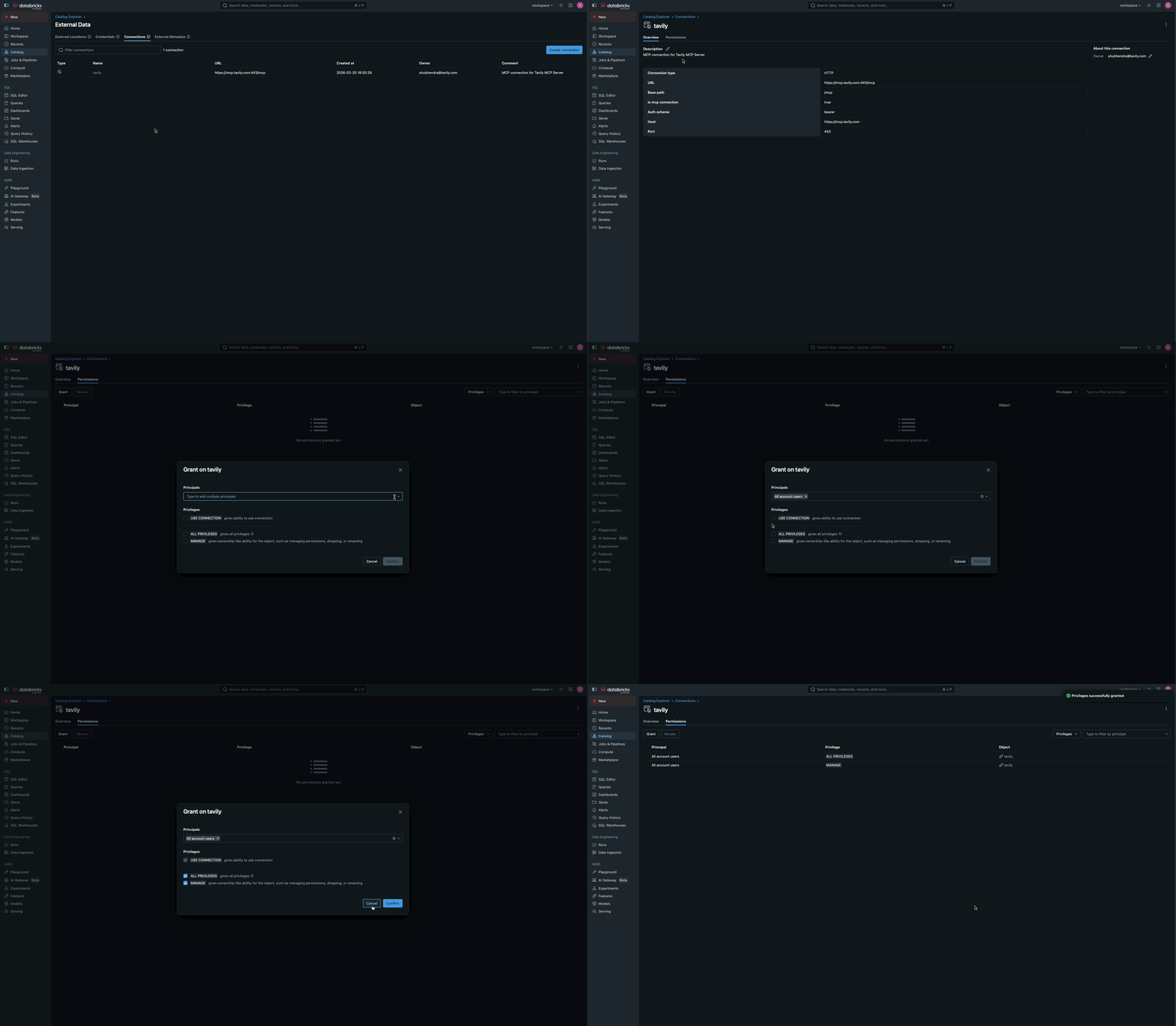
USE CONNECTION privileges to identity principals that need to use the Tavily MCP server connection. In your workspace, go to Permissions tab and grant USE CONNECTION to the identity principals that need to use the Tavily MCP server connection.Test Tavily MCP Server within Databricks
You can test the Tavily MCP server directly within Databricks without writing any code. Using AI Playground:1
Open AI Playground
Go to AI Playground in your Databricks workspace and choose a model with
the Tools enabled label.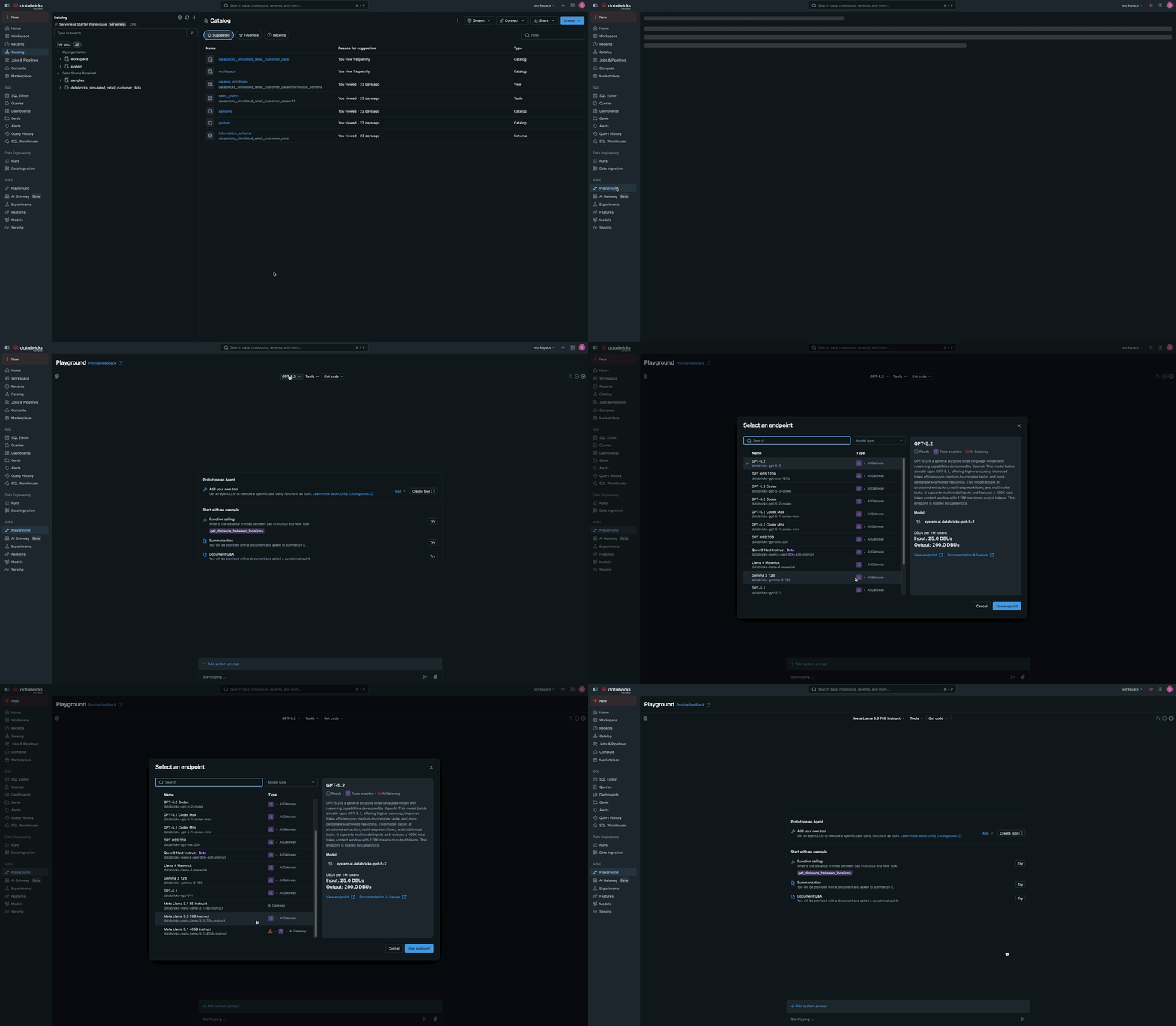
2
Add Tavily MCP Server as a tool
Click Tools tab and select + Add tool and select MCP Servers from the available tool options. In the MCP Servers section, select External MCP servers to
browse available connections, and choose the Unity Catalog connection you
installed earlier (for example, 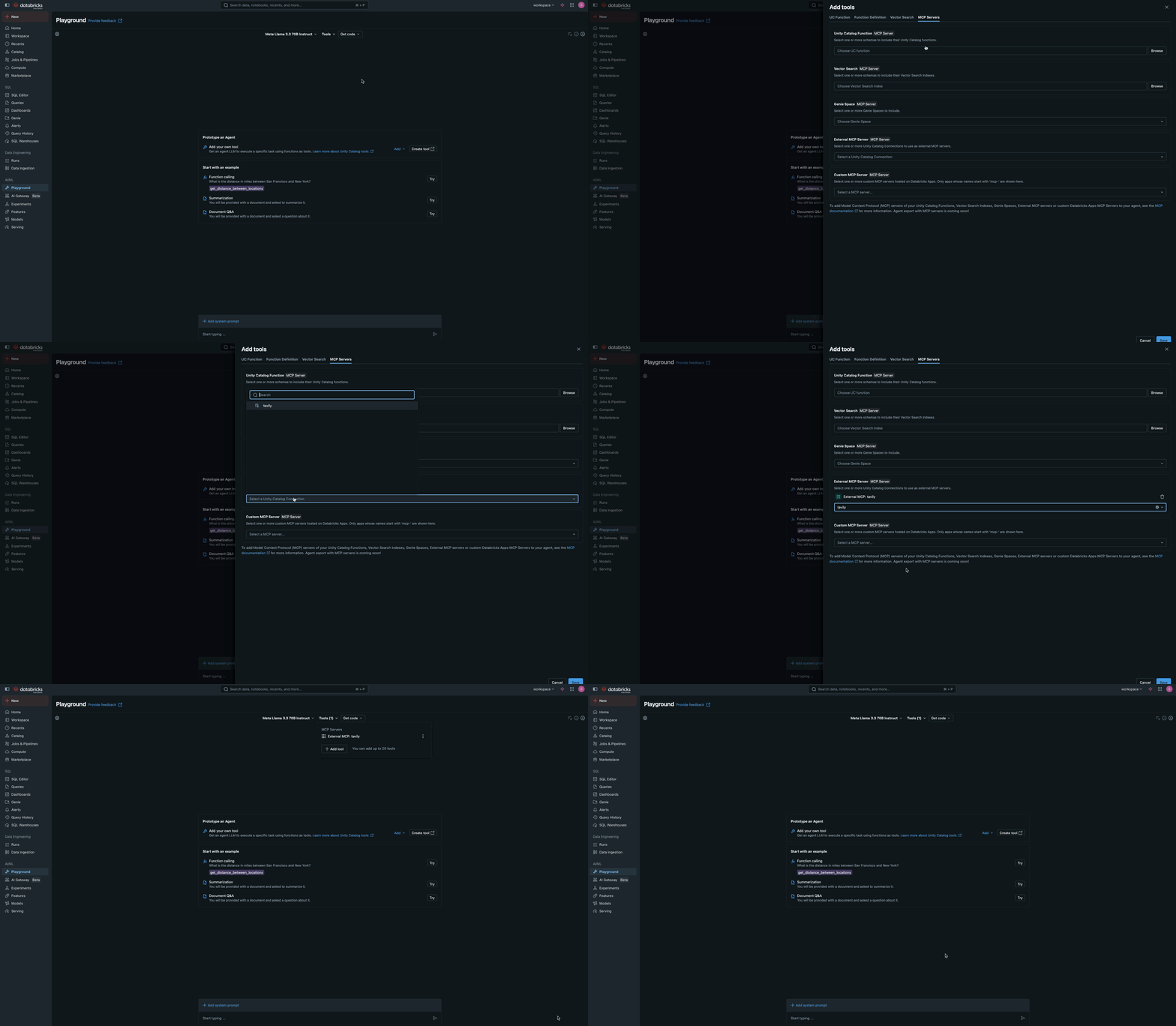
tavily_mcp_connection).3
Chat and test Tavily MCP Server
Chat with the LLM to test how it interacts with Tavily MCP tools.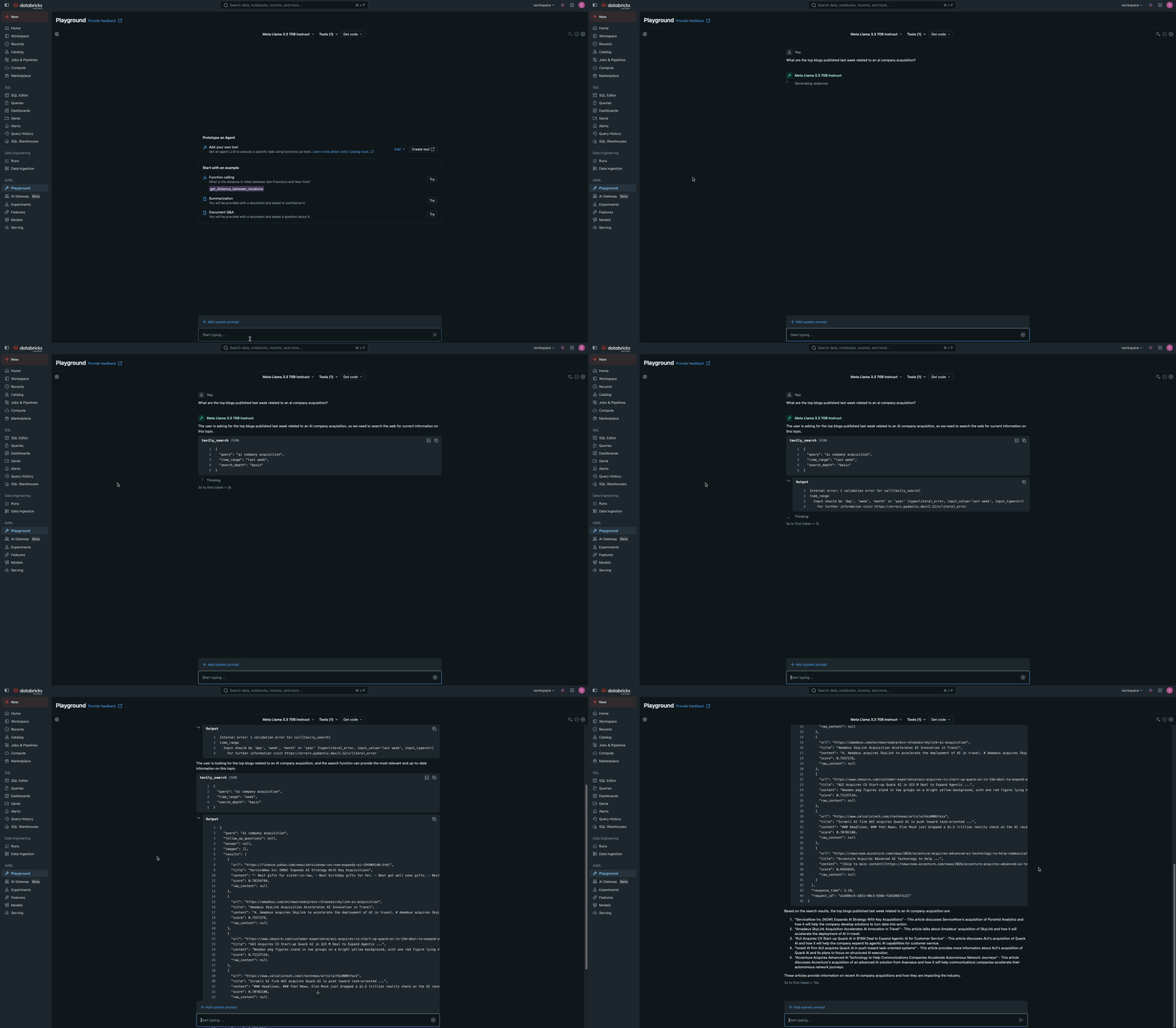
Add Tavily MCP Server to Databricks Assistant
1
Open Databricks Assistant
Go to Databricks Assistant in your Databricks workspace and click on the Settings icon.
2
Add MCP Server from Settings
In MCP Servers section, select + Add MCP Server. Go to External MCP servers dropdown and choose the Unity Catalog connection you installed earlier (for example, 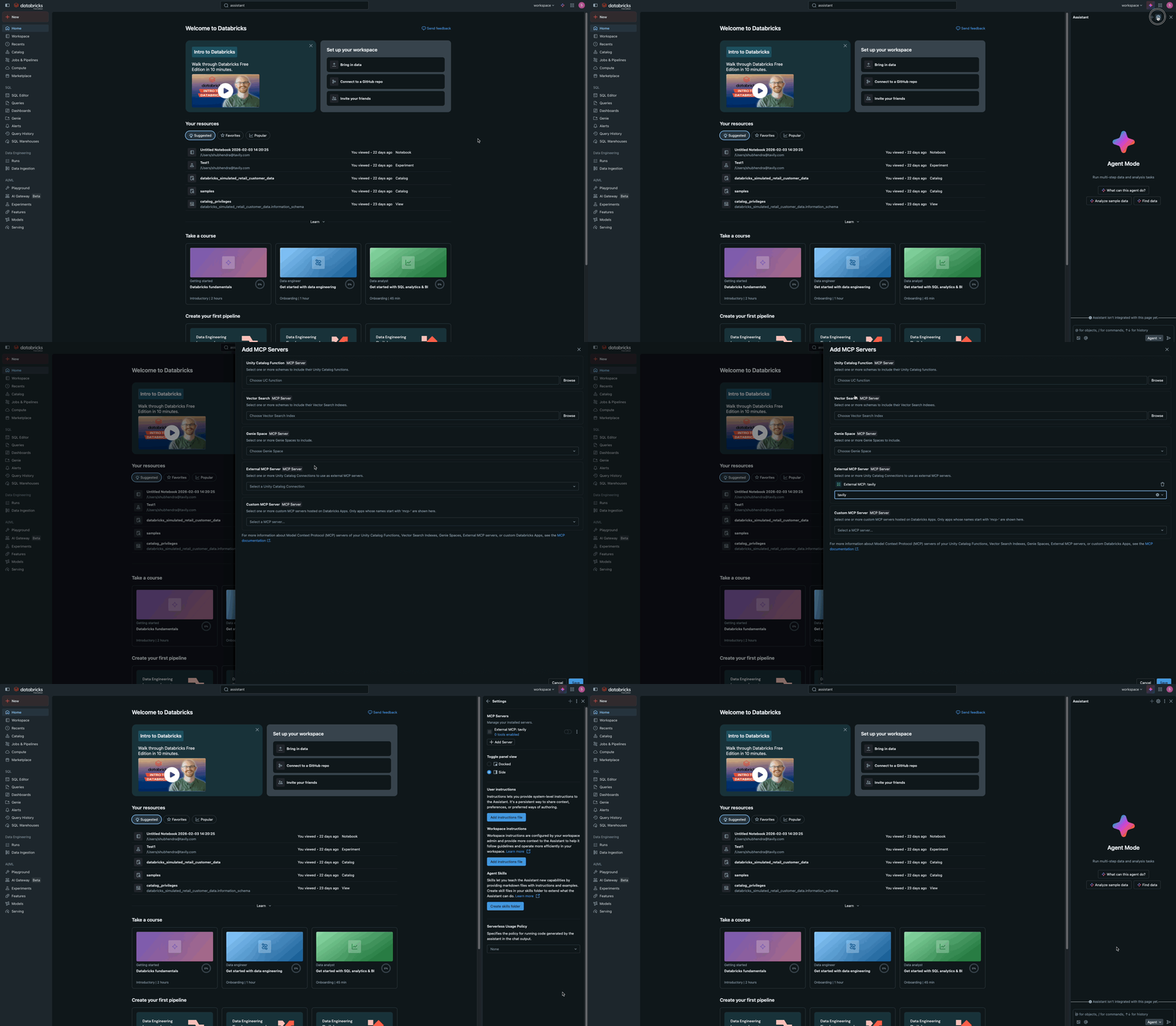
tavily_mcp_connection).Use Tavily MCP in Your Agent Code
After installation, use Tavily MCP programmatically in your agent code by connecting to the proxy URL. The Databricks proxy makes external servers behave like managed MCP servers, handling authentication and token management.1
Configure the proxy endpoint
Add the Tavily MCP proxy endpoint to your
MANAGED_MCP_SERVER_URLS list. External MCP servers are proxied as managed servers, allowing you to use the same API for both:2
Use with agents
Pass the proxy URL to the
managed_server_urls parameter to create tools from both managed and external (proxied) servers:3
Call tools directly (optional)
You can also call Tavily tools directly using the Databricks MCP Client: