

Introduction
OpenClaw is an open-source, self-hosted gateway that connects messaging apps — WhatsApp, Telegram, Discord, iMessage, and more — to AI agents. You run a single Gateway process on your own machine or server, and it becomes the bridge between your chat apps and an always-available AI assistant. Tavily is available in OpenClaw as both a web search provider and a dedicated plugin, giving your agents real-time web search and content extraction capabilities across every connected channel. Whether a user asks a question on WhatsApp or shares a link in Telegram, the agent can search the web and extract page content to provide accurate, up-to-date answers.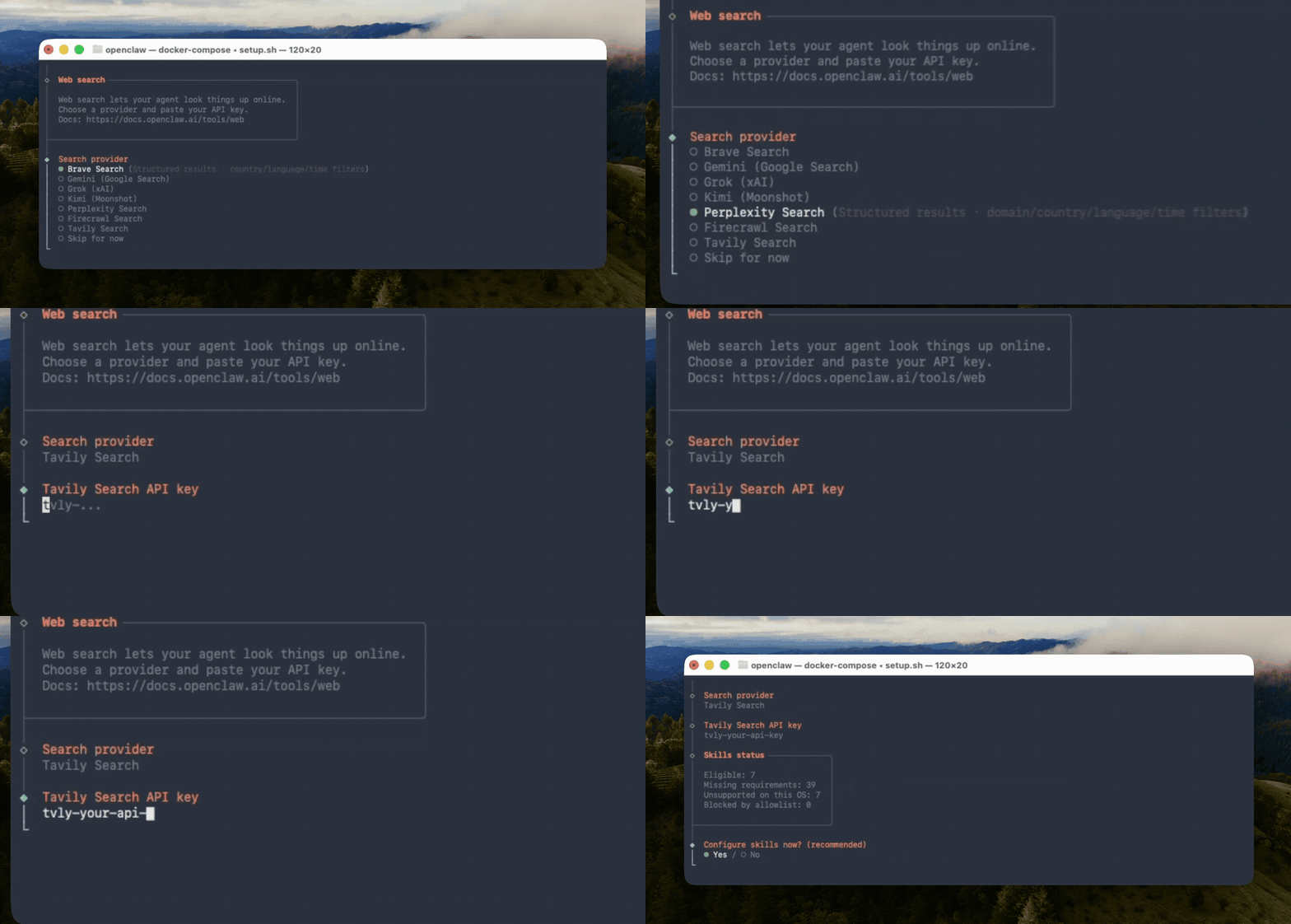
How to set up Tavily with OpenClaw
Step 1: Obtain your Tavily API key
Step 1: Obtain your Tavily API key
Go to the Tavily Dashboard to obtain your API key. Sign up for free if you don’t have an account.
Step 2: Configure Tavily as your search provider
Step 2: Configure Tavily as your search provider
You can configure Tavily using the interactive CLI or by editing your config file directly.Option 1: Interactive CLIRun the onboarding wizard and select Tavily when prompted for a search provider:Option 2: Manual configurationAdd the following to your Option 3: Environment variableSet the
~/.openclaw/openclaw.json:TAVILY_API_KEY environment variable, or add it to ~/.openclaw/.env:Step 3: Start chatting
Step 3: Start chatting
Once configured, your agents can use Tavily across all connected channels. Open the Control UI or send a message from any connected chat app:
Search modes in OpenClaw
Once Tavily is configured, OpenClaw can use it in two ways.1. web_search for simple, provider-backed search
If Tavily is set as your web search provider, OpenClaw’s built-in web_search tool routes searches through Tavily.
Use this when:
- You want a simple search interface
- Your agent only needs a query and result count
- You want Tavily to power the default OpenClaw web search flow
web_search parameters
2. Tavily-native tools for advanced controls
Use Tavily-native tools when you need Tavily-specific capabilities beyond the genericweb_search interface.
tavily_search parameters
tavily_extract parameters
Use cases
Leverage Tavily through OpenClaw to enhance your AI assistant across every messaging channel:- Research on the go — Ask your agent on WhatsApp to research a topic and get a summarized answer with sources
- Link analysis — Share a URL in Telegram and have the agent extract and summarize its content
- News monitoring — Use
tavily_searchwithtopic: "news"andtime_range: "day"to set up heartbeat alerts and get daily updates via your preferred channels - Competitive intelligence — Run domain-filtered searches from any channel to track competitor activity
- Content curation — Gather and organize information from multiple sources for reports or newsletters