
Overview

The Tavily MCP Server is available on the AWS Marketplace and can be deployed as a managed MCP server on Amazon Bedrock AgentCore, enabling developers to securely run and scale AI agents with access to Tavily’s real-time web search, content extraction, crawling, and site mapping capabilities.

Prerequisites

Setup

1

Subscribe on the AWS Marketplace

Visit the Tavily MCP Server listing on the AWS Marketplace. Click View purchase options, scroll down, and select Subscribe. Once your request has been processed, click Launch your software in the pop-up that appears.
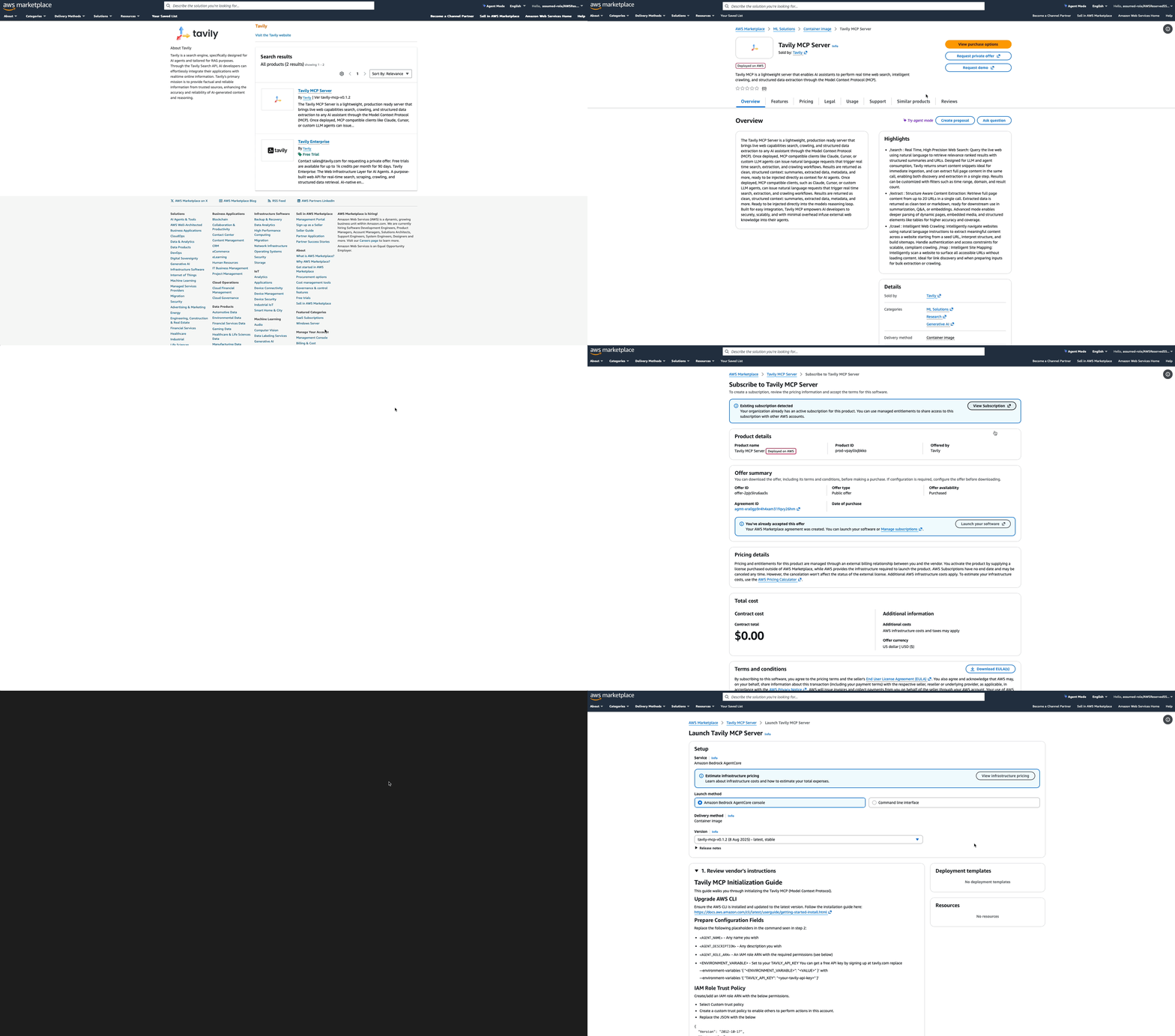
Tavily MCP Server listing on the AWS Marketplace
2

Select Amazon Bedrock AgentCore

On the launch page, select Amazon Bedrock AgentCore console as the Launch Method.
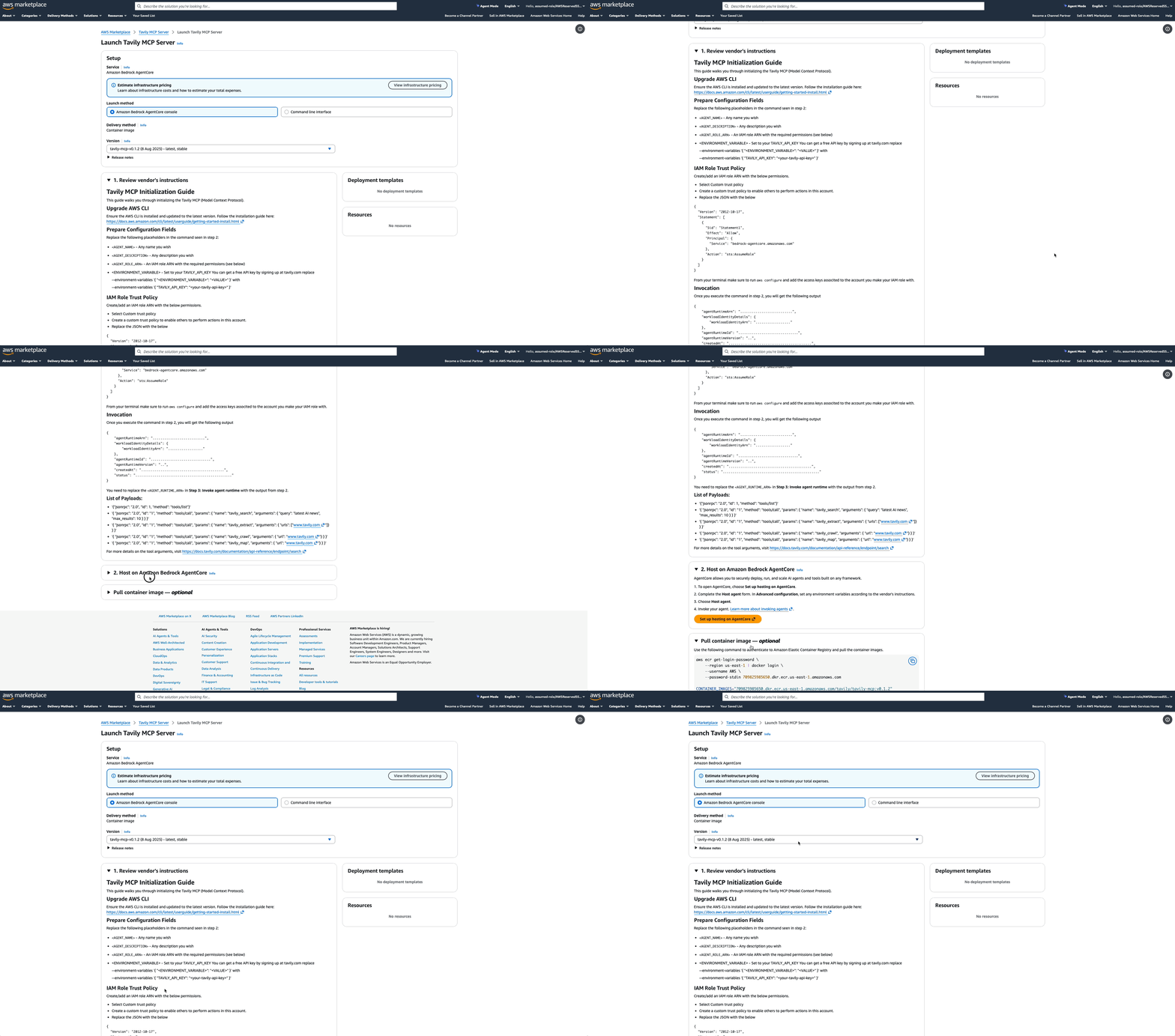
Select Amazon Bedrock AgentCore as the deployment target
3

Create an IAM Role

Create an IAM role that allows Bedrock AgentCore to assume it. When creating the role, select Custom trust policy and replace the default JSON with the following:
{
  "Version": "2012-10-17",
  "Statement": [
    {
      "Sid": "Statement1",
      "Effect": "Allow",
      "Principal": {
        "Service": "bedrock-agentcore.amazonaws.com"
      },
      "Action": "sts:AssumeRole"
    }
  ]
}
Make sure to run aws configure in your terminal and add the access keys associated with the account where you created the IAM role.
4

Deploy the Agent Runtime

From AWS CloudShell or a Linux/macOS terminal, run the following command. Replace the placeholders with your own values:
  • <AGENT_NAME>: A name of your choice
  • <AGENT_DESCRIPTION>: A description of your choice
  • <AGENT_ROLE_ARN>: The ARN of the IAM role created in the previous step
  • <your-tavily-api-key>: Your Tavily API key
aws bedrock-agentcore-control create-agent-runtime \
  --region us-east-1 \
  --agent-runtime-name "<AGENT_NAME>" \
  --description "<AGENT_DESCRIPTION>" \
  --agent-runtime-artifact '{
    "containerConfiguration": {
      "containerUri": "709825985650.dkr.ecr.us-east-1.amazonaws.com/tavily/tavily-mcp:v6"
    }
  }' \
  --role-arn "<AGENT_ROLE_ARN>" \
  --network-configuration '{
    "networkMode": "PUBLIC"
  }' \
  --protocol-configuration '{
    "serverProtocol": "MCP"
  }' \
  --environment-variables '{
    "TAVILY_API_KEY": "<your-tavily-api-key>"
  }'
Once the command completes, you will receive an output containing the agentRuntimeArn. Save this value for the next step.
{
  "agentRuntimeArn": "...",
  "workloadIdentityDetails": {
    "workloadIdentityArn": "..."
  },
  "agentRuntimeId": "...",
  "agentRuntimeVersion": "...",
  "createdAt": "...",
  "status": "..."
}
5

Invoke the Agent Runtime

Use the agentRuntimeArn from the previous step to invoke Tavily MCP tools. For example, to list all available tools:
export PAYLOAD='{ "jsonrpc": "2.0", "id": 1, "method": "tools/list",
  "params": { "_meta": { "progressToken": 1 }}}'

aws bedrock-agentcore invoke-agent-runtime \
  --agent-runtime-arn "<AGENT_RUNTIME_ARN>" \
  --content-type "application/json" \
  --accept "application/json, text/event-stream" \
  --payload "$(echo -n "$PAYLOAD" | base64)" output.json
You can also invoke specific tools by changing the payload. Here are some examples:Search the web:
{
  "jsonrpc": "2.0",
  "id": "1",
  "method": "tools/call",
  "params": {
    "name": "tavily_search",
    "arguments": { "query": "latest AI news", "max_results": 10 }
  }
}
Extract content from a URL:
{
  "jsonrpc": "2.0",
  "id": "1",
  "method": "tools/call",
  "params": {
    "name": "tavily_extract",
    "arguments": { "urls": ["www.tavily.com"] }
  }
}
Crawl a website:
{
  "jsonrpc": "2.0",
  "id": "1",
  "method": "tools/call",
  "params": {
    "name": "tavily_crawl",
    "arguments": { "url": "www.tavily.com" }
  }
}
Map a website’s structure:
{
  "jsonrpc": "2.0",
  "id": "1",
  "method": "tools/call",
  "params": {
    "name": "tavily_map",
    "arguments": { "url": "www.tavily.com" }
  }
}

Resources