

tavily_search, tavily_extract, tavily_crawl, tavily_map, tavily_research) in Chat.
Remote MCP server
Create a Replit account and get a Tavily API key.1
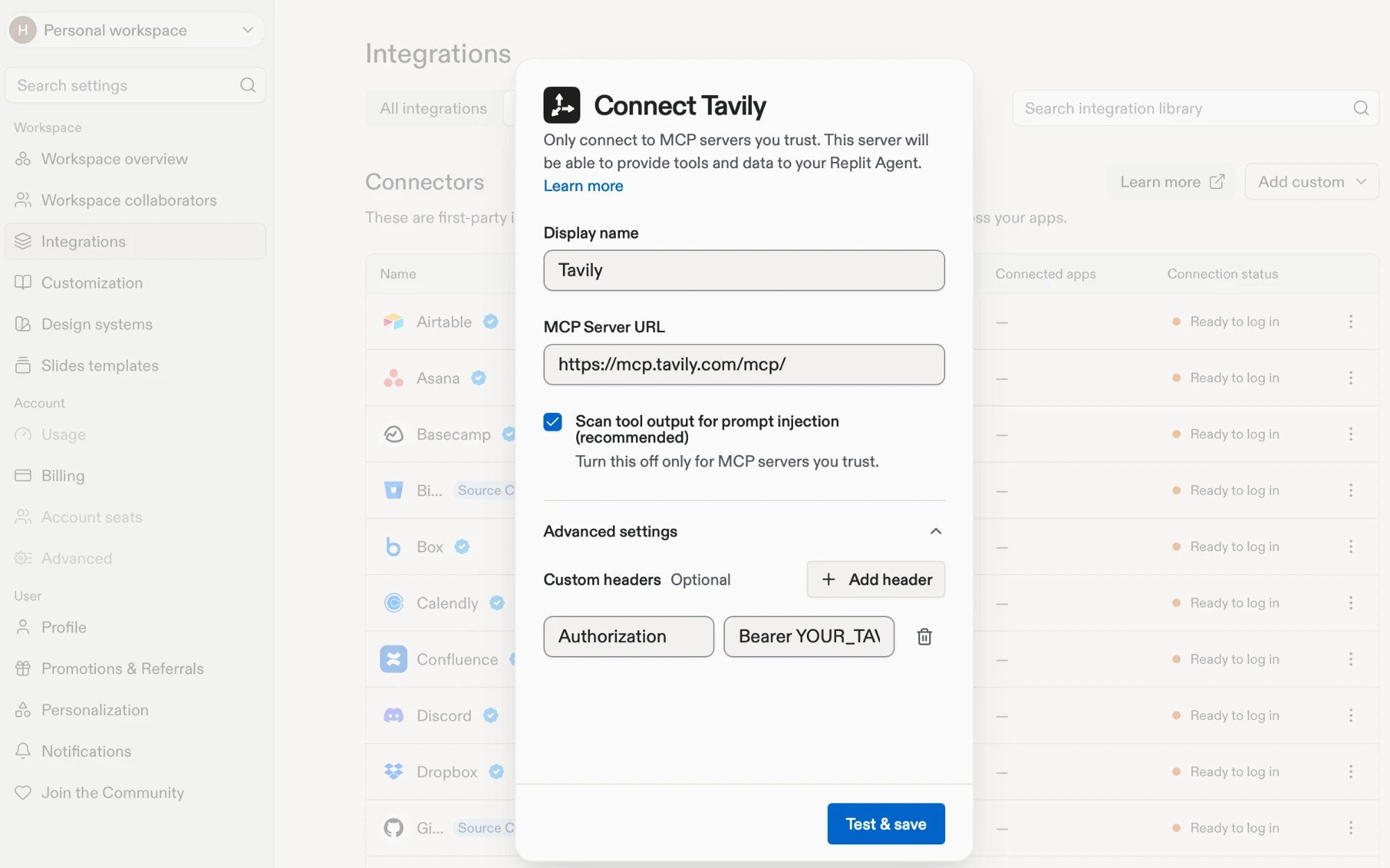
Add the server
Choose one of the following ways to add Tavily.
- Integrations
- Custom MCP server
2
Authenticate
Replit opens Tavily’s sign-in flow. Sign in to Tavily in your browser, then return to Replit. Tavily now shows as connected under Your integrations.
3
Try it
In Chat, ask:
Use Tavily to find three AI product announcements from the past seven days. Add a “Latest AI News” section to my app with a title, one-sentence summary, date, and source link for each.Approve the tool call if Replit Agent asks. Tavily tool calls and source links in the response confirm it worked.
Use an API key
To skip OAuth, add Tavily with the Custom MCP server option from above and open Advanced settings before you click Test & save. Add this header:
Replace the placeholder with your key, and enter it only in the header field.
Keyless access
For limited Search and Extract access without signing in, add the headerX-Tavily-Access-Mode with the value keyless under Advanced settings in the Custom MCP server option. See keyless access for limits and supported tools.
Troubleshooting
- Sign-in doesn’t complete. Start the sign-in again from Your integrations, and finish Tavily’s sign-in in the browser tab Replit opens.
- Replit Agent doesn’t use Tavily. Confirm Tavily shows as connected, then name it in your prompt, for example “Use Tavily to…”.
- Replit Agent says a tool was rejected. Replit scans every MCP tool before it runs and blocks any it flags as unsafe. Ask Replit Agent which tool was rejected and why.
- OAuth uses the wrong key. Tavily uses the key named
mcp_auth_default, so rename a key in the Tavily dashboard. See API key selection.