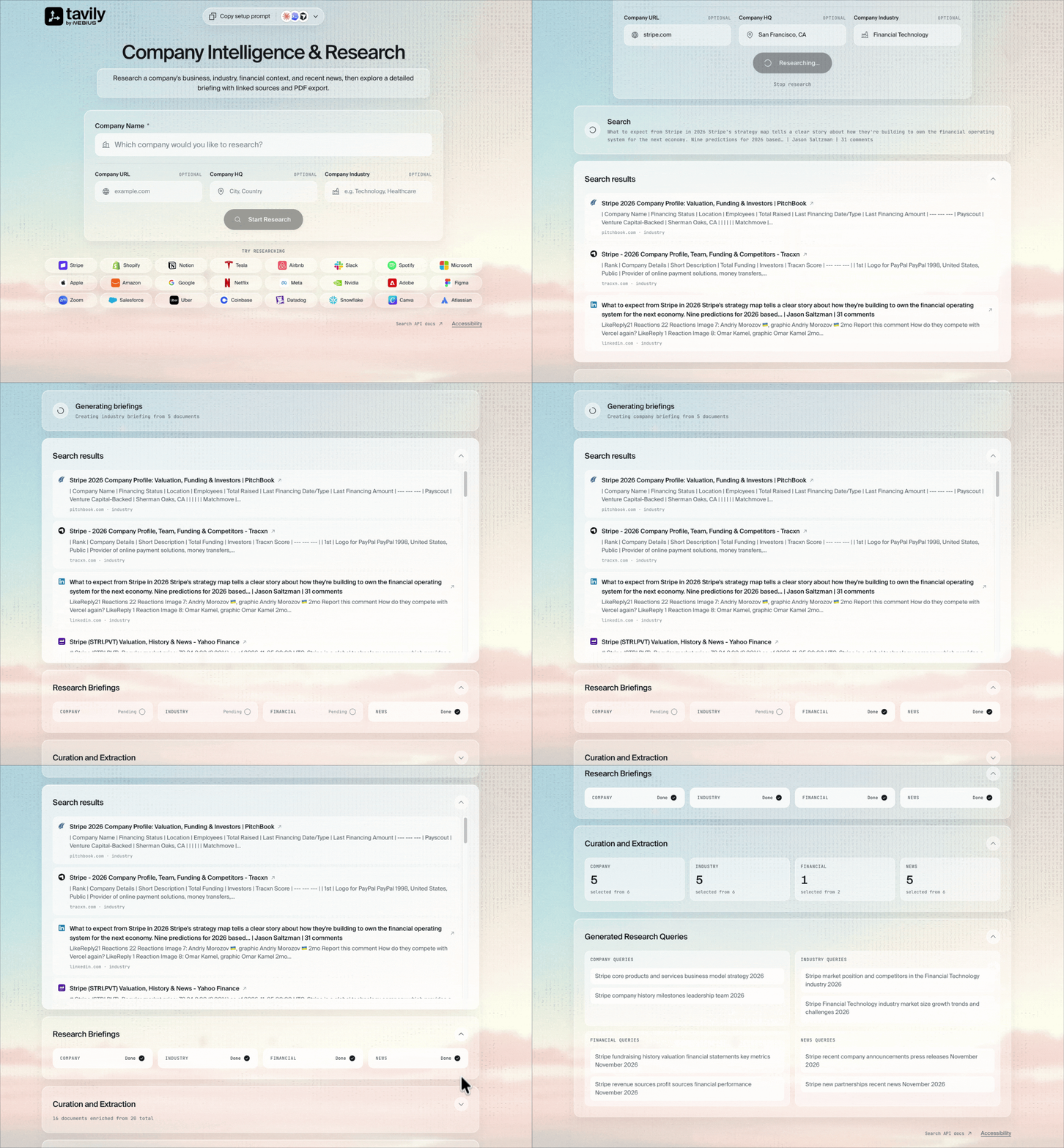
Researching Stripe, reviewing the report, and exploring the briefings, source selection, and generated queries.

Try Company Research

Company Research

Enter a company name, with an optional website, headquarters, and industry, or choose an example. Select Start Research to generate a briefing.

Features

  • Four research areas: Explore the company’s business, industry, financial context, and recent news.
  • Visible research: Follow the generated queries, search results, source selection, and category briefings as the work progresses.
  • Source links: Open the pages behind the research from the search results and report references.
  • Report export: Copy the completed report or download it as a PDF.

How it works

A React interface sends the company details to a FastAPI backend. A LangGraph workflow coordinates four AI researchers, each generating queries and retrieving sources with Tavily Search.
Four researchers search company, industry, financial, and news topics in parallel. The workflow selects sources, extracts page content, and writes category briefings and a final report.
The workflow filters and ranks sources, then uses Tavily Extract to retrieve page content. AI agents write category briefings and combine them into the final report. Progress and report text stream back to the browser.