> ## Documentation Index
> Fetch the complete documentation index at: https://docs.tavily.com/llms.txt
> Use this file to discover all available pages before exploring further.
# Vellum
> Use Tavily as the built-in web search provider in the Vellum Assistant desktop app.
 ## Introduction
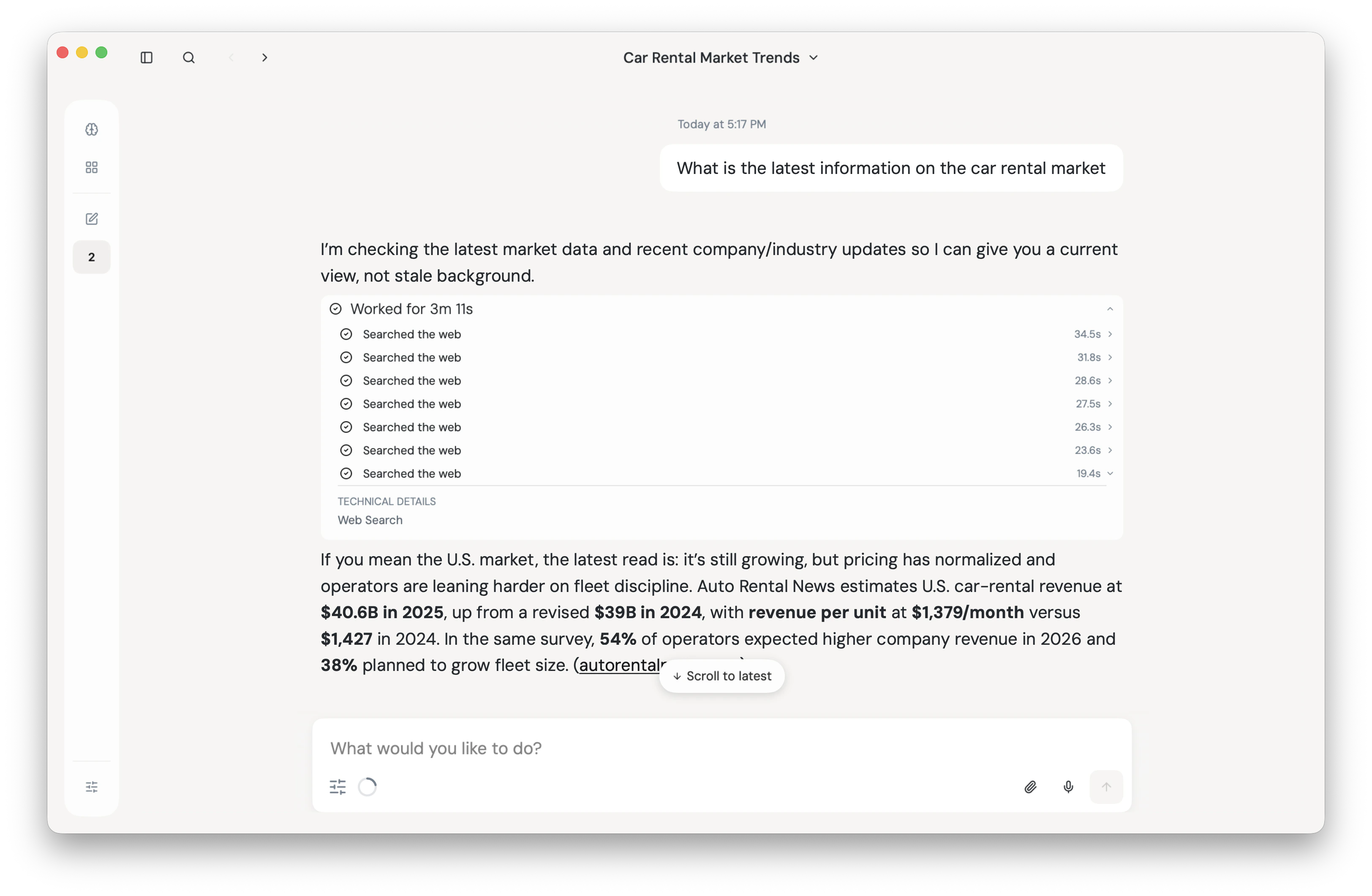
[Vellum Assistant](https://www.vellum.ai/) is a desktop AI assistant from Vellum. It ships with a built-in web search feature that connects your conversations to real-time information from the web, and Tavily is available as one of the supported search providers.
Once configured, Vellum Assistant routes web search queries through the Tavily API so the model can answer questions with up-to-date, agent-optimized results.
## Prerequisites
* The Vellum Assistant desktop app installed on macOS.
* A [Tavily API key](https://app.tavily.com/home).
## Configure Tavily in Vellum Assistant
## Introduction
[Vellum Assistant](https://www.vellum.ai/) is a desktop AI assistant from Vellum. It ships with a built-in web search feature that connects your conversations to real-time information from the web, and Tavily is available as one of the supported search providers.
Once configured, Vellum Assistant routes web search queries through the Tavily API so the model can answer questions with up-to-date, agent-optimized results.
## Prerequisites
* The Vellum Assistant desktop app installed on macOS.
* A [Tavily API key](https://app.tavily.com/home).
## Configure Tavily in Vellum Assistant
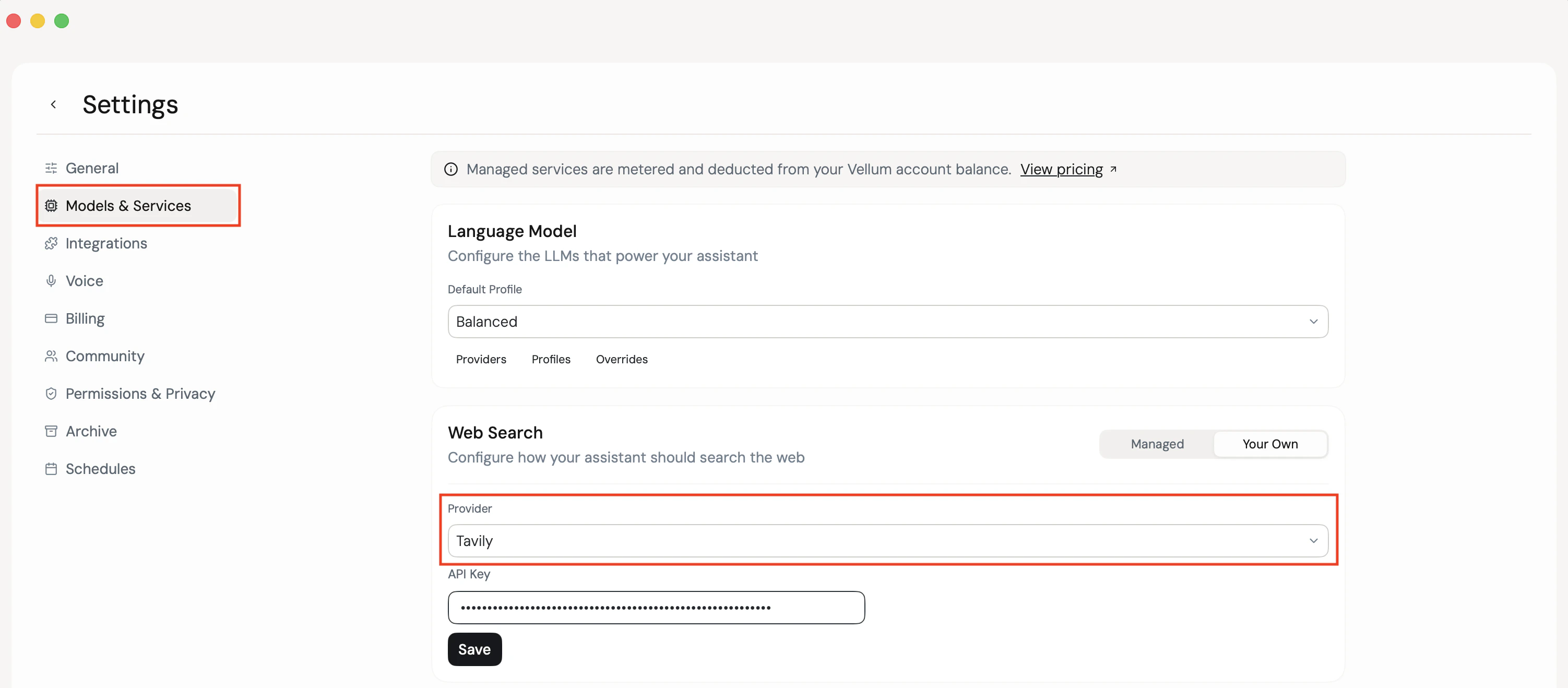 Launch Vellum Assistant and open **Settings → Models & Services**.
Find the **Web Search** section, choose **Tavily** as the provider, and paste your Tavily API key into the key field. Vellum Assistant stores the key securely in the system keychain.
Start a new conversation and ask a question that needs current information. Vellum Assistant will call Tavily under the hood and feed the results back to the model.
## Best practices
* **Pick Tavily when you want agent-optimized results** — Tavily returns relevance-scored, LLM-friendly snippets that work especially well inside an assistant flow.
* **Keep one Tavily key per workspace** — using the same key across your tools keeps usage and billing in one place on the [Tavily dashboard](https://app.tavily.com/home).
## Resources
* [Vellum docs](https://www.vellum.ai/docs/)
* [Tavily API dashboard](https://app.tavily.com/home)
Launch Vellum Assistant and open **Settings → Models & Services**.
Find the **Web Search** section, choose **Tavily** as the provider, and paste your Tavily API key into the key field. Vellum Assistant stores the key securely in the system keychain.
Start a new conversation and ask a question that needs current information. Vellum Assistant will call Tavily under the hood and feed the results back to the model.
## Best practices
* **Pick Tavily when you want agent-optimized results** — Tavily returns relevance-scored, LLM-friendly snippets that work especially well inside an assistant flow.
* **Keep one Tavily key per workspace** — using the same key across your tools keeps usage and billing in one place on the [Tavily dashboard](https://app.tavily.com/home).
## Resources
* [Vellum docs](https://www.vellum.ai/docs/)
* [Tavily API dashboard](https://app.tavily.com/home)