> ## Documentation Index
> Fetch the complete documentation index at: https://docs.tavily.com/llms.txt
> Use this file to discover all available pages before exploring further.
# Microsoft 365 Copilot
> Use Tavily as a declarative agent in Microsoft 365 Copilot or as a plugin in Copilot Cowork for real-time web search, extraction, mapping, and crawling.
## Introduction
Tavily is available across the Microsoft 365 Copilot ecosystem in two ways:
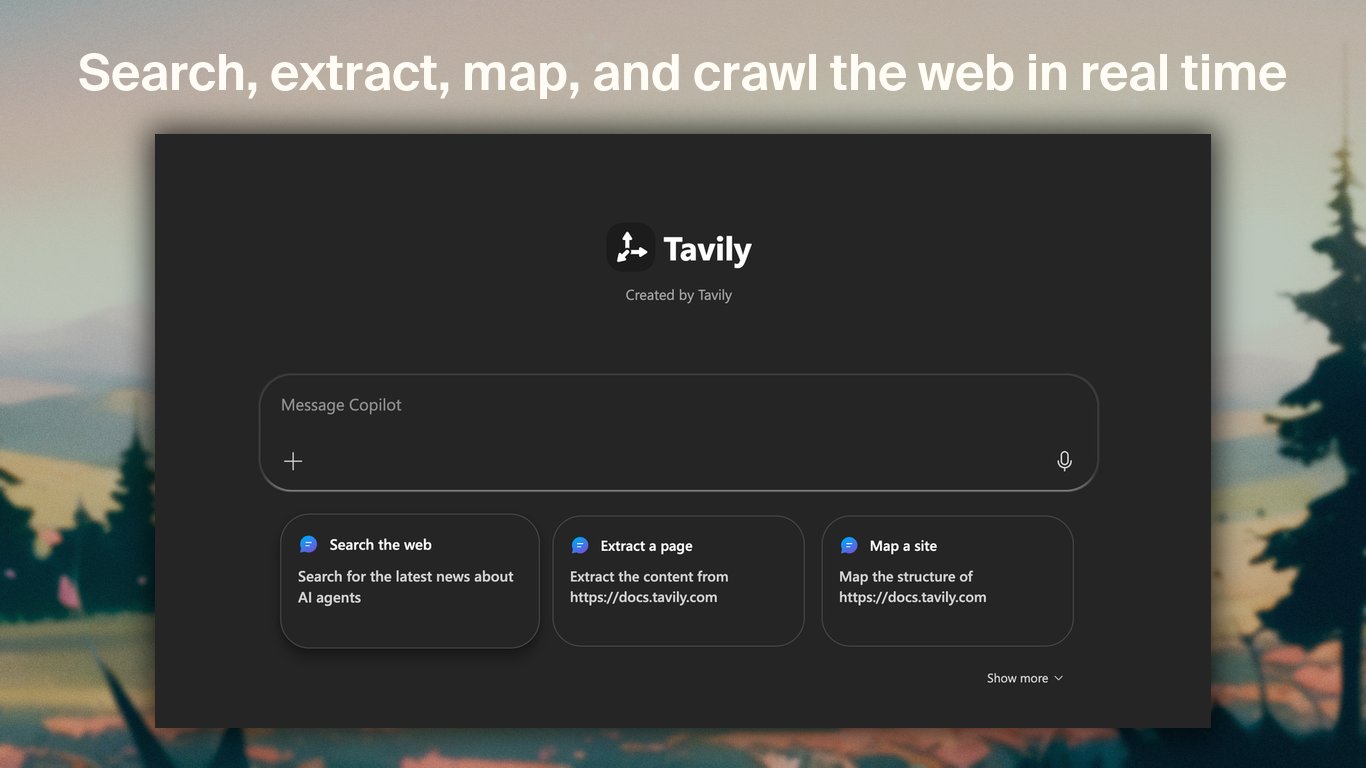
* **As a declarative agent** — open Tavily as a dedicated agent in Microsoft 365 Copilot Chat for source-backed web search, page extraction, site mapping, and crawling.
* **As a Copilot Cowork plugin** — add Tavily to Cowork so it can gather current web information while completing long-running, multi-step tasks and producing deliverables such as spreadsheets.
Both experiences connect to Tavily's hosted [Model Context Protocol (MCP)](https://modelcontextprotocol.io/) server and use OAuth. You can sign in to Tavily when first prompted without copying an API key into Microsoft 365.
Add real-time web intelligence to Microsoft 365 Copilot and Copilot Cowork.
## Available Tavily tools
| Tool | What it does |
| ---------------- | ------------------------------------------------------------------------------------------------------ |
| `tavily_search` | Searches the web for current information with configurable depth, result count, and time-range filters |
| `tavily_extract` | Extracts clean markdown or text from one or more URLs |
| `tavily_map` | Discovers the URL structure of a website |
| `tavily_crawl` | Crawls multiple pages with configurable depth, breadth, and natural-language instructions |
***
## Use Tavily as a declarative agent
The Tavily declarative agent provides a focused research experience inside Microsoft 365 Copilot Chat. Copilot chooses the appropriate Tavily tool from your natural-language request, then synthesizes the returned web content into a response with source links.
### Requirements
* A Microsoft 365 account with access to Microsoft 365 Copilot
* Access to apps and agents approved by your Microsoft 365 administrator
* A Tavily account, which you can create during the first-use OAuth flow
### Install and connect
Open the [Microsoft 365 Copilot app](https://m365.cloud.microsoft/chat). In the navigation panel, expand **Agents**, then select **All agents** to open the Agent Store.
Search for **Tavily**, open its listing, and select **Add**. Tavily then appears in the **Agents** section of the navigation panel.
Select **Tavily** from the Agents list and send a prompt that needs web access, for example:
```text theme={null}
Search for the latest Model Context Protocol announcements and cite the sources.
```
On the first tool call, Copilot prompts you to connect to Tavily. Complete the OAuth sign-in or create a Tavily account. After authorization, Copilot continues the request automatically and remembers the connection for later conversations.
If Tavily does not appear in the Agent Store, ask your Microsoft 365 administrator to approve or deploy the app for your organization.
### Example prompts
```text theme={null}
Search the web for AI agent announcements from the last week and cite each source.
```
```text theme={null}
Extract https://docs.tavily.com/documentation/mcp and summarize how authentication works.
```
```text theme={null}
Map https://docs.tavily.com and organize the discovered URLs by product area.
```
```text theme={null}
Crawl the Tavily documentation and summarize the pages about search best practices.
```
***
## Use Tavily as a Copilot Cowork plugin
Copilot Cowork handles long-running, multi-step work. With the Tavily plugin enabled, Cowork can search for fresh information, inspect source pages, and use that evidence while creating a finished deliverable.
The following demo uses Tavily to research the world's most valuable companies, cross-check the results across sources, and create a source-backed Excel spreadsheet from a single prompt.
### Add and enable the plugin
Open Copilot Cowork, select the **+** button, then select **Customize**.
Open the **Plugins** tab and search the Microsoft 365 App Store for **Tavily**. Open the Tavily listing and add it to Cowork.
Open the **Sources & Skills** panel and enable Tavily. You can return to this panel to disable or re-enable the plugin at any time.
Ask Cowork to use Tavily. When Cowork prompts you to connect the plugin, complete the one-time Tavily OAuth flow. The connection remains available in future Cowork conversations unless it is revoked.
Tell Cowork explicitly to use Tavily when the task depends on current public web information. You can also name the operations you want, such as "search and extract," and describe the final file or output.
### Example prompt
```text theme={null}
Use Tavily search and extract to research the world's most valuable public companies. Cross-check the figures across multiple sources, then create a polished Excel spreadsheet with rankings, market caps, source URLs, and a summary sheet.
```
## Authentication and usage
Tavily uses OAuth to connect each Microsoft 365 user to their own Tavily account. On first use, Microsoft 365 opens Tavily's authorization flow; no manual API key configuration is required.
Each new Tavily account includes **1,000 free monthly credits**. You can review usage or purchase additional credits from the [Tavily dashboard](https://app.tavily.com/home).
## Learn more
* [Tavily on Microsoft Marketplace](https://marketplace.microsoft.com/en-us/product/saas/wa200010953?tab=overview)
* [Use plugins with Copilot Cowork](https://learn.microsoft.com/en-us/microsoft-365/copilot/cowork/cowork-plugins)
* [Get started with agents in Microsoft 365 Copilot](https://support.microsoft.com/en-us/microsoft-365-copilot/get-started-with-agents-in-the-microsoft-365-copilot-app)
* [Declarative agents for Microsoft 365 Copilot](https://learn.microsoft.com/en-us/microsoft-365/copilot/extensibility/overview-declarative-agent)
* [Tavily MCP documentation](/documentation/mcp)
 ### Requirements
* A Microsoft 365 account with access to Microsoft 365 Copilot
* Access to apps and agents approved by your Microsoft 365 administrator
* A Tavily account, which you can create during the first-use OAuth flow
### Install and connect
### Requirements
* A Microsoft 365 account with access to Microsoft 365 Copilot
* Access to apps and agents approved by your Microsoft 365 administrator
* A Tavily account, which you can create during the first-use OAuth flow
### Install and connect