> ## Documentation Index
> Fetch the complete documentation index at: https://docs.tavily.com/llms.txt
> Use this file to discover all available pages before exploring further.
# Dify
> Tavily is now available for no-code integration through Dify.
## Introduction
Integrate Tavily with Dify to enhance your AI workflows without writing any code. Dify is a no-code platform that allows you to build and deploy AI applications using various tools, including the **Tavily Search API** and **Tavily Extract API**. This integration enables access to real-time web data, improving the capabilities of your AI applications.
## How to set up Tavily with Dify
Follow these steps to integrate Tavily with Dify:
Go to [Dify](https://dify.ai/) and log in to your account.
Go to the [Tavily Dashboard](https://app.tavily.com/home) to obtain your **API key**.
Install the **Tavily tool** from the [Plugin Marketplace](https://marketplace.dify.ai/plugins/langgenius/tavily) to enable integration with your Dify workflows.
In **Dify**, navigate to **Tools > Tavily > To Authorize** and enter your **Tavily API key** to connect your Dify instance to Tavily.
## Using the Tavily tool in Dify
Tavily can be utilized in various Dify application types:
### Chatflow / Workflow Applications
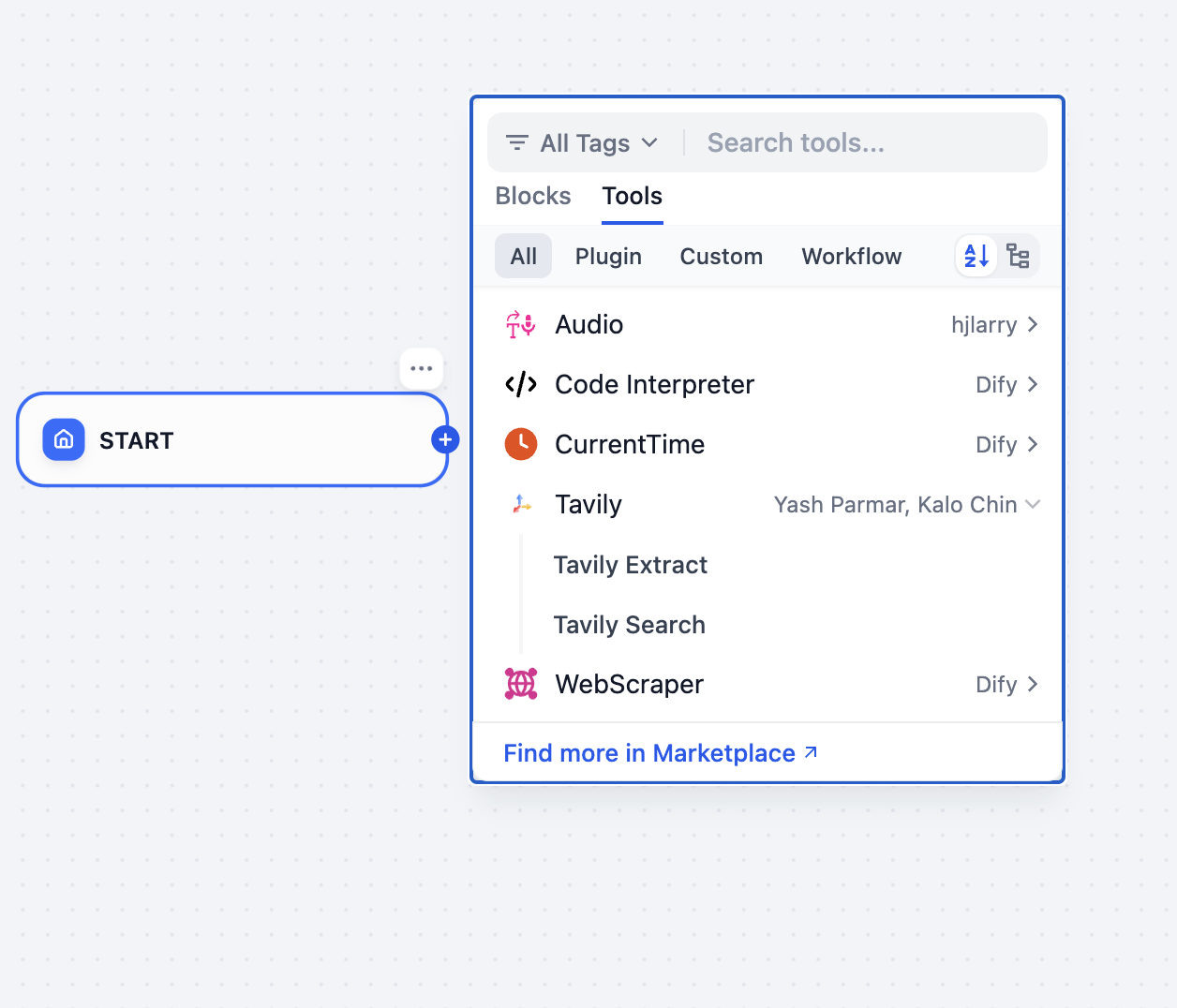
Dify’s Chatflow and Workflow applications support Tavily tool nodes, which include:
* **Tavily Search API** – Perform dynamic web searches and retrieve up-to-date information.
* **Tavily Extract API** – Extract raw content from web pages.
These nodes allow you to automate tasks such as research, content curation, and real-time data integration into your workflows.
### Agent Applications
In Agent applications, you can integrate the Tavily tool to access web data in real time. Use this to:
* Retrieve structured and relevant search results.
* Extract raw content for further processing.
* Provide accurate, context-aware answers to user queries.
 ## Example use case: automated deep research
Use **Tavily Search API** within **Dify** to conduct automated, multi-step searches, iterating through multiple queries to gather, refine, and summarize insights for comprehensive reports.
For a detailed walkthrough, check out this blog post:
[DeepResearch: Building a Research Automation App with Dify](https://dify.ai/blog/deepresearch-building-a-research-automation-app-with-dify)
## Best practices for using Tavily in Dify
* **Design Concise Queries** – Use focused queries to maximize the relevance of search results.
* **Utilize Domain Filtering** – Use the `include_domains` parameter to narrow search results to specific domains.
* **Enable an Agentic Workflow** – Leverage an LLM to dynamically generate and refine queries for Tavily.
***
## Example use case: automated deep research
Use **Tavily Search API** within **Dify** to conduct automated, multi-step searches, iterating through multiple queries to gather, refine, and summarize insights for comprehensive reports.
For a detailed walkthrough, check out this blog post:
[DeepResearch: Building a Research Automation App with Dify](https://dify.ai/blog/deepresearch-building-a-research-automation-app-with-dify)
## Best practices for using Tavily in Dify
* **Design Concise Queries** – Use focused queries to maximize the relevance of search results.
* **Utilize Domain Filtering** – Use the `include_domains` parameter to narrow search results to specific domains.
* **Enable an Agentic Workflow** – Leverage an LLM to dynamically generate and refine queries for Tavily.
***